Jobs and CronJobs
Running a Job again
Section titled “Running a Job again”A Job’s header has Run again. It works on any Job, finished, failed or still running, and asks “Run job again?” before it does anything, because a Job’s spec is immutable once it has run and the only way to rerun one is to delete it and submit it again with the same name and spec. The pods of the previous run go with it, and their logs with them, so read what you need from the Logs tab first.
The app deletes the old Job with foreground propagation, so the API server keeps the name until the pods are gone, and then waits up to 20 seconds for the name to come free before creating the new one. Only the API server answering that the Job is not found counts as free: a read that fails for any other reason keeps the wait going, so the create cannot race a half-deleted Job into an “already exists” failure. If every read fails to the end, the app reports that failure instead. The whole sequence has its own 45-second ceiling rather than the ordinary read timeout, which would cut it short and report a timeout where the truth is that the old run is still finishing.
If the name is still taken after the wait, the app says “Job “name” is still being deleted. Wait for its pods to finish and try again.” The old Job is already gone at that point, so trying again later only has to create the new one.
CronJobs
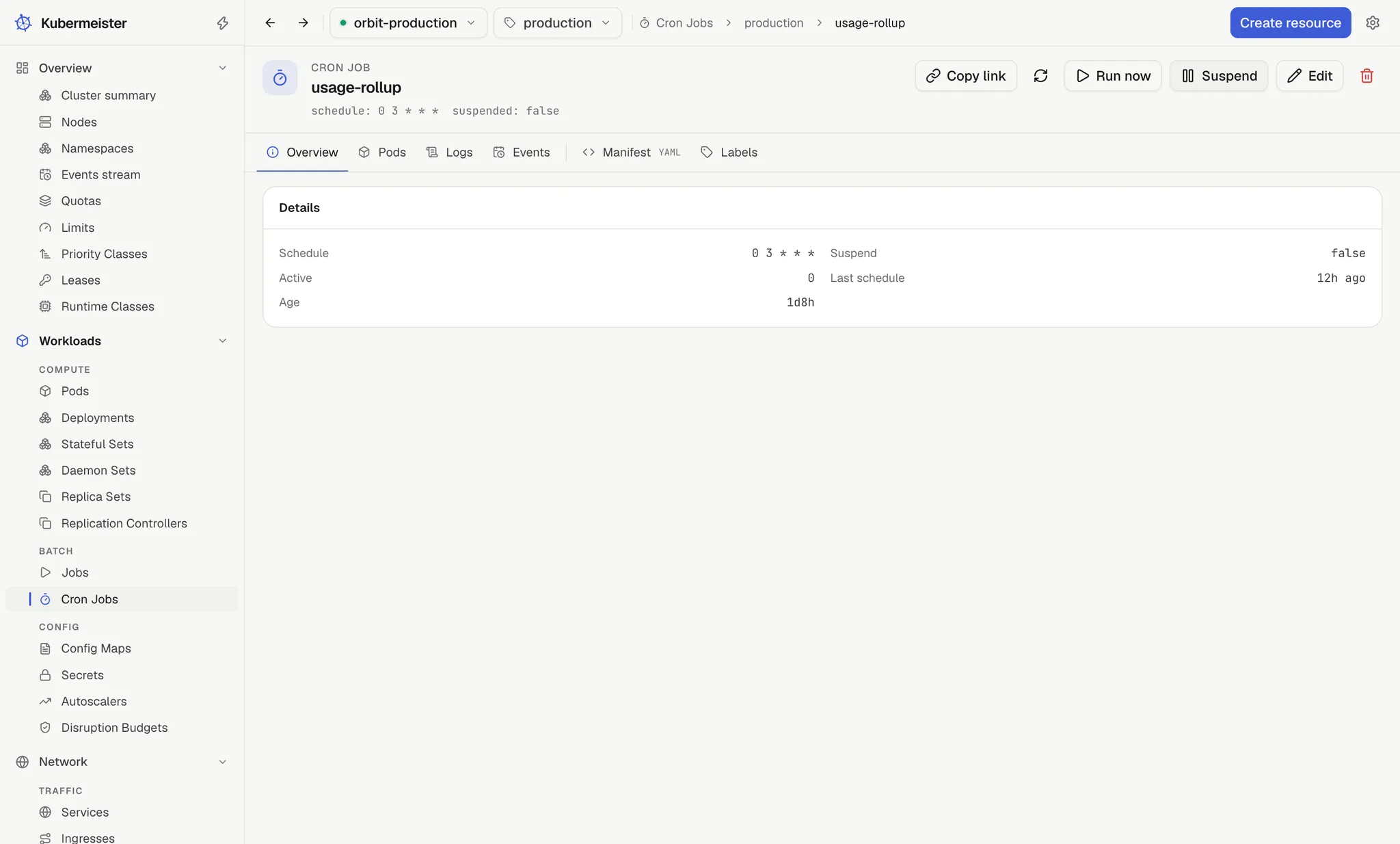
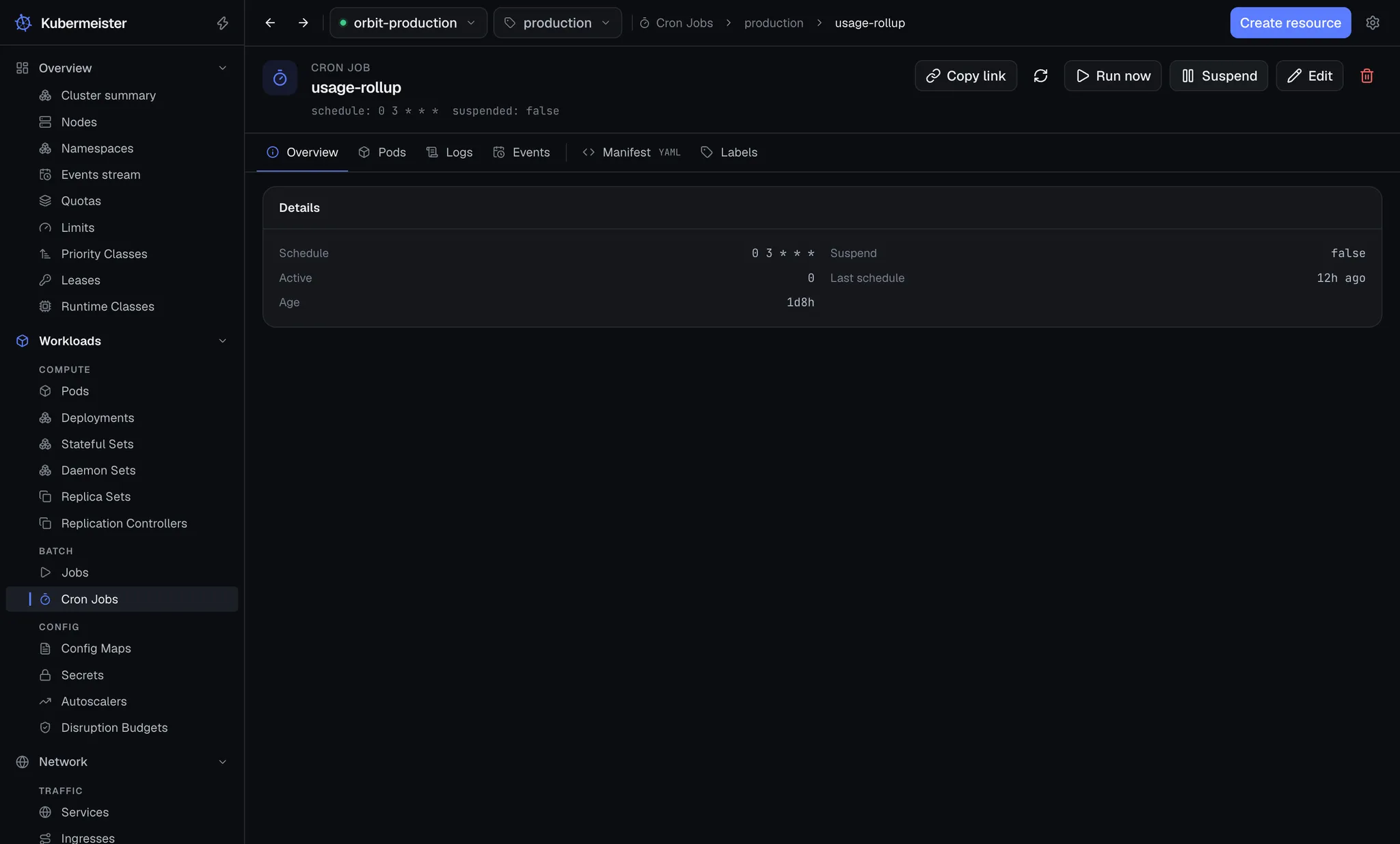
Section titled “CronJobs”A CronJob’s header has Run now and Suspend (or Resume).
Running a CronJob now
Section titled “Running a CronJob now”Run now asks for no confirmation. It builds a Job from the CronJob’s job template, names it
<cronjob>-<yyMMddHHmm>-<suffix> from the current UTC minute and five random letters and digits, so
two runs started in the same minute never share a name, and reports “Job “name” created”. A
CronJob name too long for that is shortened so the whole stays within 63 characters. The Job is
owned by nobody, so the CronJob’s history limits never sweep your manual run away; it stays until you delete it. For the same reason it does not appear under the
CronJob’s own Pods and Logs tabs: find it in the Jobs list.
Building it correctly means stripping what the control plane stamps on a Job it has run: the
selector and manualSelector, the controller-uid and job-name labels (in both their old and
batch.kubernetes.io/ forms), and the last-applied-configuration and job-tracking annotations.
Left in place, they would bind the new Job to the old one’s pods. Run again strips the same
fields.
Suspending a schedule
Section titled “Suspending a schedule”Suspend sets the CronJob’s spec.suspend and asks for no confirmation; Resume clears it.
While suspended, the schedule starts no new Jobs. Jobs already running are left alone either way.
The Suspend column in the CronJobs list and the CronJob’s Overview show the flag.
Watching it run
Section titled “Watching it run”The Jobs and CronJobs lists are live, so a new run appears as soon as it is created. A Job’s detail page has Pods and Logs tabs for the pods it owns, and a CronJob’s has the same for the pods of the Jobs it owns. The Logs tab follows every one of those pods at once, the same way a Deployment’s does — see logs.