Settings
Settings is one screen, “Preferences for this Kubermeister install.”, with a rail of sections down its left side: General, Appearance, Cluster data, Connection, Charts, Updates and About. Click a section, or move through them with the up and down arrow keys. There is no Save button: a toggle or a choice applies at once, and a text field when you press Return or leave it. Escape in a text field puts back what was there.
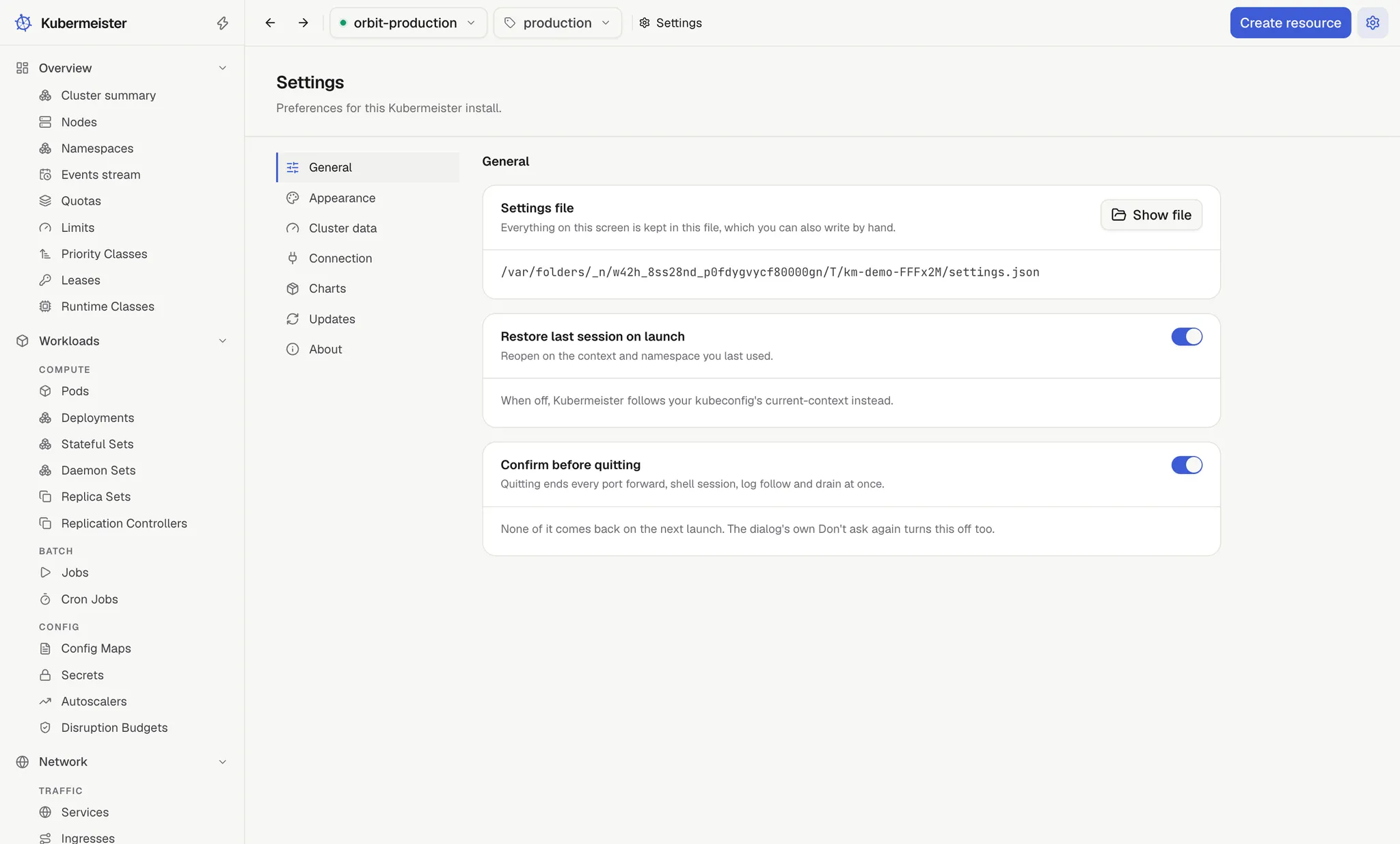
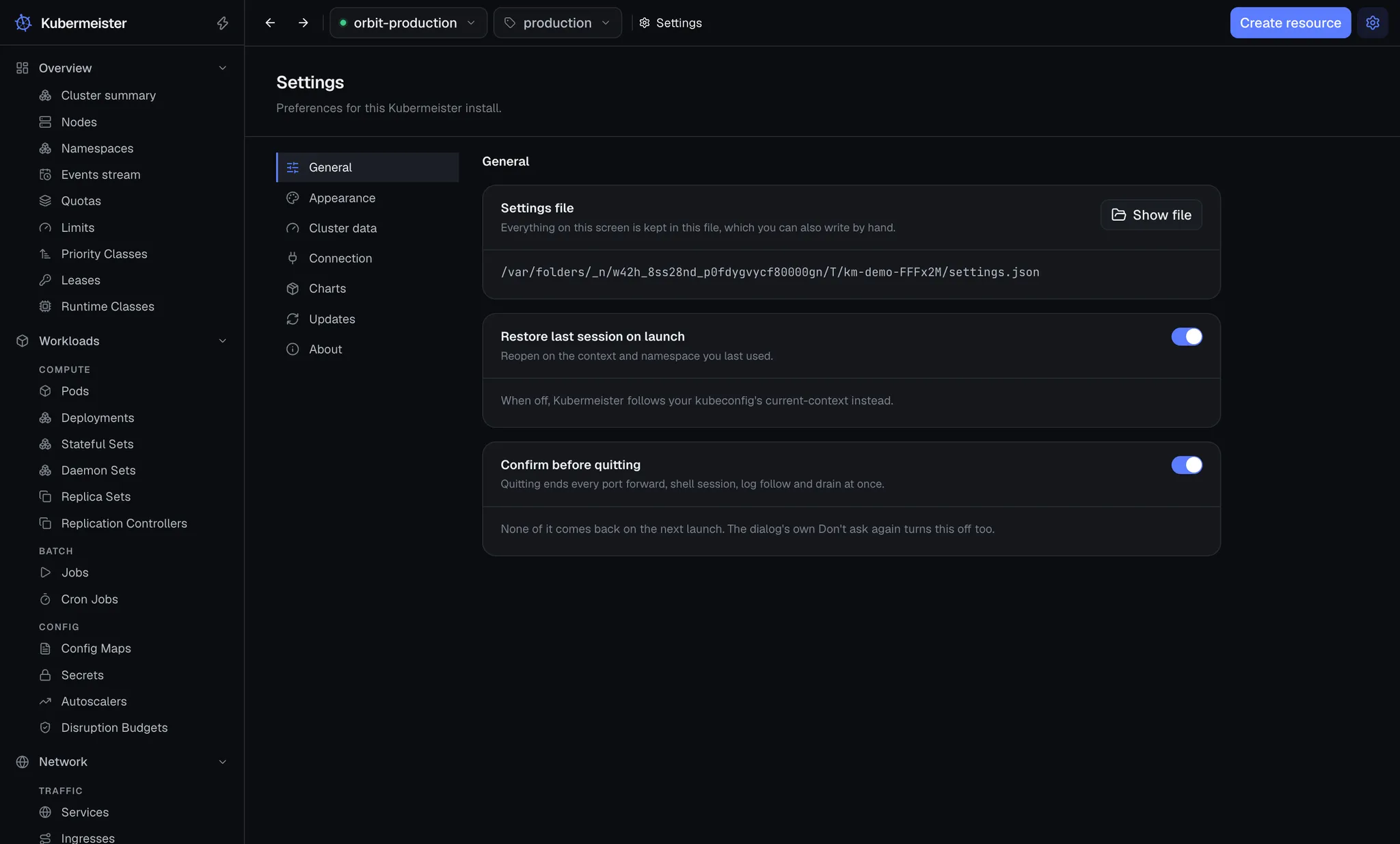
Open it with the Settings gear at the right end of the top bar, from the command palette, or from the menu:
Kubermeister › Settings… on macOS, File › Settings… on Windows and Linux, or with ⌘, or
Ctrl+,. Each opens on General.
Each section has its own address, so a reload or Back returns to the section you were on, and the breadcrumb names it. A screen that points at a setting opens its section: an empty chart list opens Charts, a read that timed out opens Cluster data, and Check for updates in the command palette opens Updates. Moving between sections does not add to the history, so one Back leaves Settings.
General
Section titled “General”| Setting | Field | Options | Default |
|---|---|---|---|
| Restore last session on launch | toggle | on, off | on |
| Confirm before quitting | toggle | on, off | on |
- The Settings file card comes first. See the settings file.
- Restore last session on launch reopens on the context and namespace you last used. When off,
the app follows your kubeconfig’s
current-contextinstead. See where it reopens. - Confirm before quitting decides whether quitting asks first. See quitting.
Appearance
Section titled “Appearance”| Setting | Field | Options | Default |
|---|---|---|---|
| Theme | Light, Dark, System | Dark | |
| Text | Text size | Small, Default, Large, Larger | Default |
| Terminal | Font size | 11, 12, 14 or 16 pt | 12 pt |
- Theme switches the whole window between Light, Dark and System, which follows your operating system’s preference and changes with it. The theme is not in the settings file: it is kept in the window’s own local storage.
- Text size makes all the text in the app smaller or larger, applying at once; spacing and icons stay as they are, so it is not the same as View › Zoom In, which scales the whole window. Like the theme, it is kept in the window’s own local storage, not in the settings file.
- Font size is the size of the shell terminal on a pod. A shell already open keeps its size; the next one uses the new one.
Cluster data
Section titled “Cluster data”| Setting | Field | Options | Default |
|---|---|---|---|
| Live data refresh | Refresh interval | 5, 10, 15, 30 or 60 seconds | 12 seconds |
| Cluster reads | Read timeout | 15, 30, 60, 120 or 300 seconds | 60 seconds |
| Log buffer | Buffered lines | 2k, 10k or 50k lines | 2k lines |
- Refresh interval is how often lists, metrics and the dashboard poll for updates, and how often the context selector’s health dot is refreshed. Lists kept current by a watch do not wait for it. The 12-second default is not one of the choices; once you pick another, it is gone from the list.
- Read timeout is how long one request to the API server may take before it is reported as timed out. It both fails the request and aborts it, so a screen that polls cannot pile up requests against a cluster that never answers. Large clusters need longer. See read timeouts.
- Buffered lines is how many lines a live log follow keeps before dropping the oldest. It is read live, so changing it trims from the next batch on rather than restarting the follow.
Connection
Section titled “Connection”| Card | Field | Default |
|---|---|---|
| Kubeconfig | Kubeconfig path | $KUBECONFIG or ~/.kube/config (default) |
| Proxy | Proxy | Follow the environment |
| Proxy URL | empty, shown under Use this proxy | |
| Never proxy these hosts | empty, which follows NO_PROXY |
|
| Certificate authority | CA bundle | The system certificate authorities only |
- Kubeconfig path changes through Browse…, a native file dialog, and Use default. See which kubeconfig it reads.
- Proxy is Follow the environment, Use this proxy or Connect directly. A context whose
kubeconfig sets its own
proxy-urlalways uses that one, in every mode. - Never proxy these hosts is a comma-separated list, as
NO_PROXYspells it, shown under the first two modes. - CA bundle changes through Choose file…, a native file dialog, and Clear. It is added to the authorities already trusted, never put in their place.
The interface never sets a file path itself: both paths come from the operating system’s dialog. Changing the kubeconfig, the proxy or the CA bundle ends every stream and reloads the kubeconfig. See proxies and certificates.
Charts
Section titled “Charts”Chart repositories
Section titled “Chart repositories”The chart sources Kubermeister reads, each a Classic repository, which serves an index.yaml,
or an OCI registry, addressed as oci://host. Add repository takes a name (lowercase
letters, digits, dashes, dots or underscores), the URL, and an optional username and password. Each
row shows its source, how many charts its index holds, when it was last read, and buttons to
install a chart from it, refresh it or remove it. Up to 50 can be added.
A classic repository’s charts are listed under Helm › Charts. Install a chart on a row opens the install dialog on that source: a chart picked from its index, or for an OCI registry a chart name and version typed in. A release can be upgraded to a chart version from any of them.
Chart sources are a fact about your install, not about the cluster you are pointed at, so a context switch leaves them alone. Three things are kept in step: the entry in settings, the cached index, and the credential.
- A source is read before it is recorded. An address that answers with no index is refused when you add it (“That address does not serve a Helm repository index.”), rather than reported as broken from then on. A credential stored for an add that then failed is taken back out.
- A password never reaches the settings file. It is sealed with the operating system’s secret store — Keychain on macOS, libsecret on Linux, DPAPI on Windows — and only the ciphertext is written, to its own file beside the settings. A system with no secret store is told so, and the repository can be added without a credential. A credential this machine can no longer open, such as one copied from another machine, reads as absent.
- A password is refused for a plaintext
httpaddress (“A password needs an https URL.”). That repository is still usable anonymously. The same holds for the token server an OCI registry names: one on plaintexthttpis asked for a token without the password. - An OCI registry publishes no index, so it is verified the way
helm registry logindoes: the registry must answer and accept the credential. Its row shows no chart count, because there is nothing to count. - A failed refresh keeps the last good index. Removing a source removes its cached index and its credential with it; nothing in the cluster changes.
Updates
Section titled “Updates”Update status comes first: the updater’s latest outcome, with Check for updates. Depending on that outcome it adds Download update, Restart now, What’s new or Get the update, each described in updates.
Automatic updates decides what happens when a new version is found.
| Field | Options | Default |
|---|---|---|
| When a new version is found | Download in the background, Notify me and let me choose, Never check automatically | Download in the background |
| Check for new versions | Every hour, Every 4 hours, Every 12 hours, Once a day | Every 4 hours |
See updates for what each mode does.
The About card shows the app’s version and the Electron, Chrome and Node versions it runs on.
Report a bug opens the bug report form on GitHub in your browser, with the version already
filled in, and the operating system too on macOS and Windows. On Linux you pick the installer
yourself, since the app cannot tell an AppImage from a .deb or an .rpm.
The settings file
Section titled “The settings file”Everything on this screen is kept in one JSON file you can also write yourself, keep in a dotfiles repository and provision onto a machine:
| Operating system | File |
|---|---|
| macOS, Linux, Windows | ~/.config/kubermeister/settings.json |
$XDG_CONFIG_HOME/kubermeister/settings.json is used instead when XDG_CONFIG_HOME is set, and
KUBERMEISTER_CONFIG names any other file outright:
KUBERMEISTER_CONFIG=~/work/kubermeister.json open -a KubermeisterOn Windows that is %USERPROFILE%\.config\kubermeister\settings.json, beside kubectl’s own
%USERPROFILE%\.kube\config, so one dotfiles setup serves every operating system. Unlike
%APPDATA%, the user profile does not roam between machines on a domain with roaming profiles; set
KUBERMEISTER_CONFIG to a path under %APPDATA% for a file that should.
Every key is optional, and a missing one takes its default, so a file holds only what you want different:
{ "$schema": "https://raw.githubusercontent.com/kubermeister/kubermeister/main/settings.schema.json", "general": { "confirmQuit": false }, "data": { "refreshIntervalSec": 5, "readTimeoutSec": 120 }, "updates": { "mode": "check" }, "network": { "proxyMode": "manual", "proxyUrl": "http://proxy.corp:3128", "noProxy": ".corp,10.0.0.0/8" }, "charts": { "repositories": [{ "name": "bitnami", "kind": "classic", "url": "https://charts.bitnami.com/bitnami" }] }}The $schema line is optional. With it, an editor that reads JSON Schema (VS Code, JetBrains, any
JSON language server) completes every key, shows what it does and its default, and marks a value the
app would refuse before the app ever reads it. A file Kubermeister creates starts with it.
| Key | Values | Default |
|---|---|---|
general.confirmQuit |
true, false |
true |
session.restoreOnLaunch |
true, false |
true |
connection.kubeconfigPath |
a path, or null for $KUBECONFIG or ~/.kube/config |
null |
data.refreshIntervalSec |
seconds, a positive whole number | 12 |
data.readTimeoutSec |
seconds, 5 to 600 | 60 |
data.logBufferLines |
lines, a positive whole number | 2000 |
data.terminalFontSize |
points, 8 to 32 | 12 |
updates.mode |
"check", "download", "off", or null for the default |
null |
updates.checkIntervalHours |
hours, 1 to 168 | 4 |
network.proxyMode |
"env", "manual", "off" |
"env" |
network.proxyUrl |
an http, https or socks URL, or null |
null |
network.noProxy |
hosts as NO_PROXY spells them, or null to follow NO_PROXY |
null |
network.caBundlePath |
a path to a PEM file, or null |
null |
charts.repositories |
a list of { "name", "kind": "classic" or "oci", "url" }, up to 50 |
[] |
The file may take values Settings does not offer, within the ranges above. A chart repository listed
there is read the first time you refresh it in Settings or open Helm › Charts, and its username and password never go in the file: add them in Settings and they are kept in the system
keychain. version is optional; the app adds it the first time it saves.
An edit to the file takes effect within a second of being saved, while the app runs, exactly as the same change made in Settings would: a new kubeconfig path, proxy or CA bundle ends every stream and reconnects, and the Settings screen follows the file. Deleting the file puts every setting back to its default.
The Settings file card at the top of General names the file, with Show file to open it in
the file manager, and lists every value the app did not use and why, by its path
(data.readTimeoutSec). A value that is not valid falls back to its own default and leaves the rest
of the file alone; a key the app does not know is named as ignored.
A file that is not JSON, or that a newer version of Kubermeister wrote, is never written: the app runs on what it could read, changes made in Settings last until you quit, and the top bar says Settings file not saved until the file is fixed, which clears it as soon as it is saved. The same notice appears when the file cannot be saved at all, a read-only file for instance. When a setting is changed in the app, only that key is written. Keys you never wrote stay absent, keys the app does not know are kept, the file keeps its indentation, and a symlinked file is written through the link, even one whose target does not exist yet. Each write goes to a temporary file that is then renamed over the original, so a crash mid-write cannot leave half a file, and the file keeps its permissions: one you keep readable only by you stays that way.
What the app records about itself rather than what you configure is kept apart, in state.json in
the app’s user-data directory (~/Library/Application Support/Kubermeister on macOS,
~/.config/Kubermeister on Linux, %APPDATA%\Kubermeister on Windows): the last context and
namespace, the port forwards you have started (so they can be offered again), and where the window
last stood. The window reopens there, unless less than 100 pixels of it would fall on a current
display; otherwise it opens at the default 1200 × 800. Theme, list columns and log view options stay
with the window’s own storage.
An install from before the file moved keeps its settings: on the first launch the old
settings.json in the user-data directory is carried over, with the values that were only ever
defaults left out, and the old file is left where it was. A settings file you wrote before that
launch is kept exactly as it is; only the last context, the remembered forwards and the window’s
place come across from the old file. That happens once: deleting the settings file later, or
pointing KUBERMEISTER_CONFIG somewhere new, starts from the defaults rather than the old file.
Quitting
Section titled “Quitting”Quitting ends every port forward, shell, log follow and drain at once, and none of them come back on the next launch. So the app asks first, in a native dialog: “Quit Kubermeister?”, with that consequence spelled out. The text is fixed, and the dialog asks even when nothing is running.
Cancel is the default button, so Return, Escape or a repeated ⌘Q leave everything running;
quitting has to be chosen. A second ⌘Q while the dialog is open does not open another.
The dialog is the main process’s own rather than the interface’s, so it can be answered when the window never finished loading.
It asks on the two paths you actually take:
- the Quit menu item — Kubermeister › Quit Kubermeister (
⌘Q) on macOS, File › Quit on Windows and Linux; - closing the window on Windows and Linux, by its close button or
Alt+F4, where closing the last window quits.
On macOS, closing the window neither asks nor quits: the app keeps running, and clicking its Dock icon opens the window again. It does still end every port forward, shell, log follow and drain the window had open. An update’s restart and a shutdown the operating system asks for do not ask either.
Turn it off with Confirm before quitting in Settings › General, or with Don’t ask again in the dialog itself. The checkbox is only acted on when you answer Quit: a cancelled quit is no moment to write a preference nobody agreed to.